
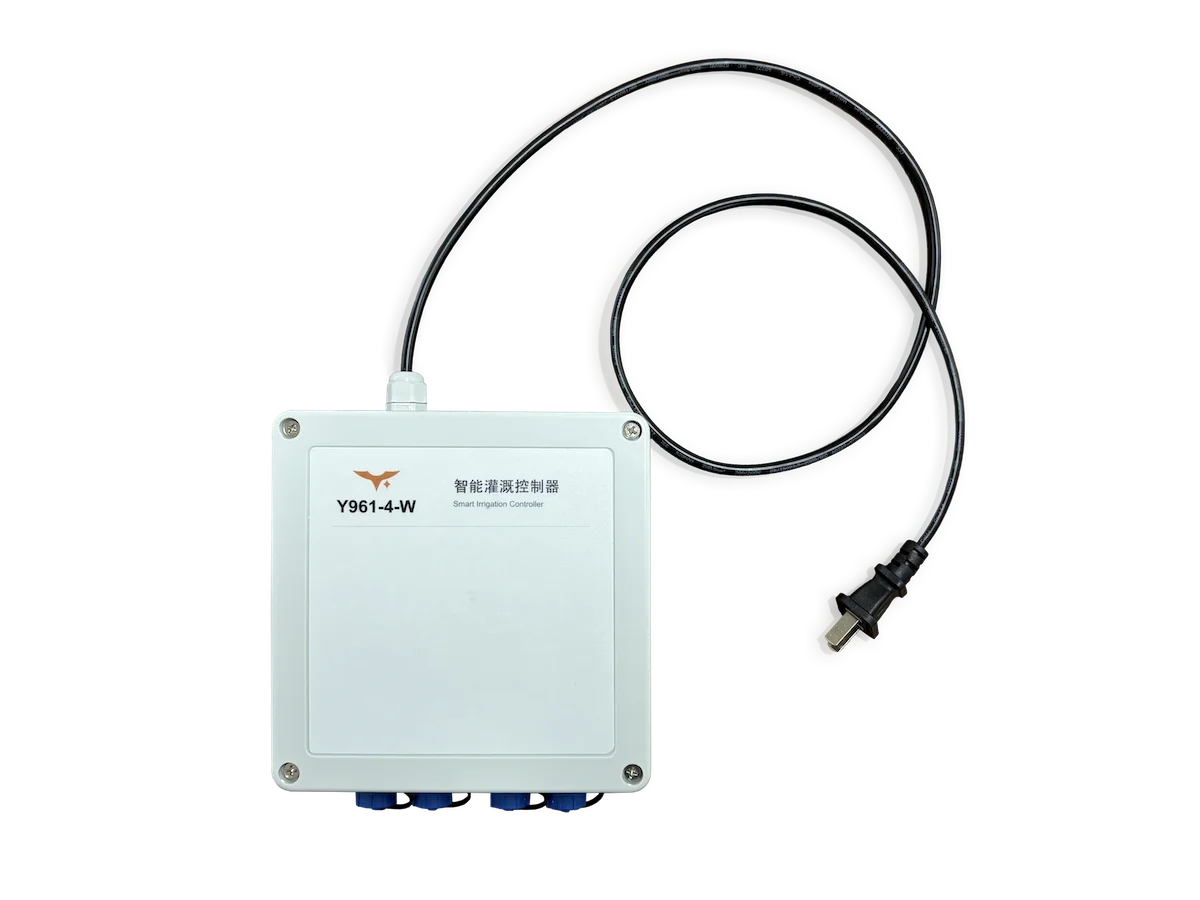
Y961, Smart irrigation controller
Plan by zone. Irrigate on schedule.
Connect four irrigation valve circuits to the YenGear Smart Irrigation System over Wi-Fi. Organize greenhouse, nursery or small zoned-irrigation projects by area, then publish schedules for the controller to execute locally.
APPLICATION / GREENHOUSE HYDROPONICS
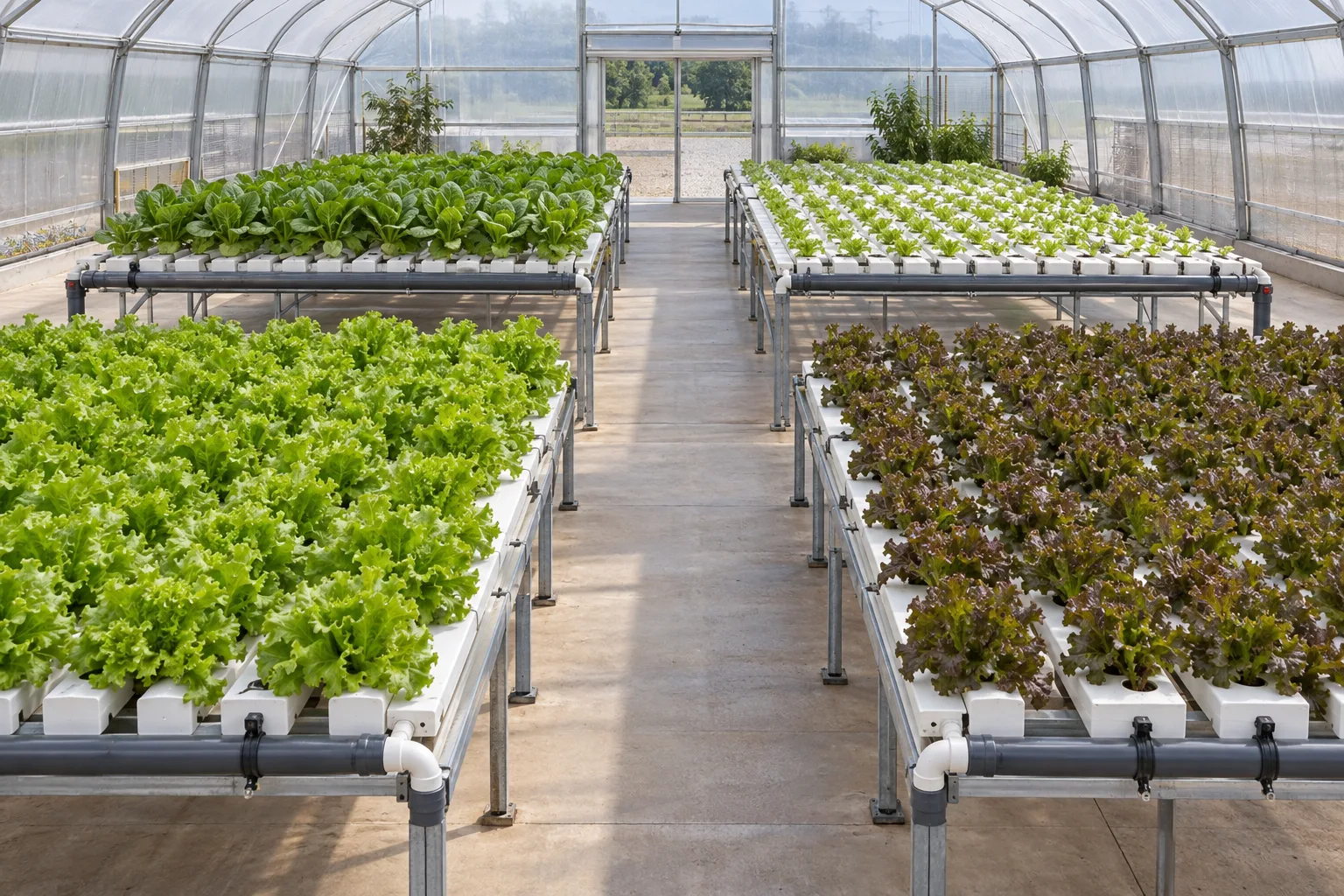
One greenhouse. Separately scheduled zones.
Assign the supply valve groups for separate growing beds to zones A, B, C and D, then map them to controller outputs. To stagger supply, set each zone’s order, duration and interval in the schedule.
- Zone ARun for the set duration
- Zone BRun for the set duration
- Zone CRun for the set duration
- Zone DRun for the set duration
01 / HOW THE CONTROL PATH WORKS
The system plans. Y961 executes at the site.
Smart Irrigation System
Manages devices, zones and schedules, then publishes the project configuration.
2.4 GHz Wi-Fi
Carries the published configuration to the controller; new plans cannot arrive offline.
Y961
Downloads and activates the target version, then switches outputs locally.
Matched valve circuits
Y961 switches the input power; confirm the site load and supply first.
The system shows configuration, output and execution records—not measured water volume, flow or valve movement.
The system organizes outputs into zones and publishes schedules; the controller receives the activated configuration and switches matched irrigation-load circuits on site.
02 / ORGANIZE BY ZONE
Give each output a clear place in your irrigation plan
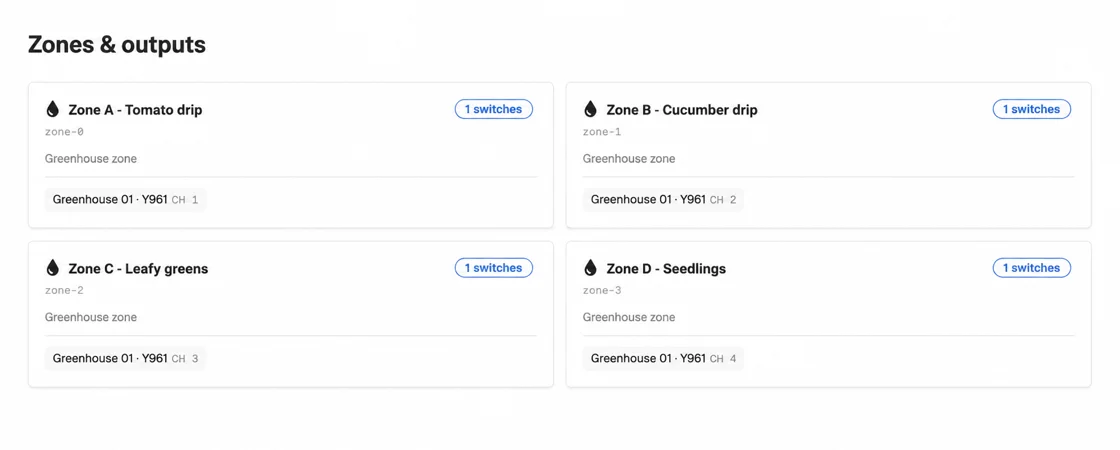
Map physical outputs to named growing areas or valve groups. A zone can include several outputs, while each output belongs to only one zone. This keeps the schedule tied to identifiable field wiring.
- One zonecan include several outputs
- One outputbelongs to one zone; schedules select zones
03 / FROM PLAN TO EXECUTION
Run zones in sequence or together
Choose one-time, daily or weekly schedules. Set zone durations, gaps and round intervals, then stop by round count, elapsed duration or end time. Sequential watering staggers demand; simultaneous watering requires enough water supply and electrical capacity.
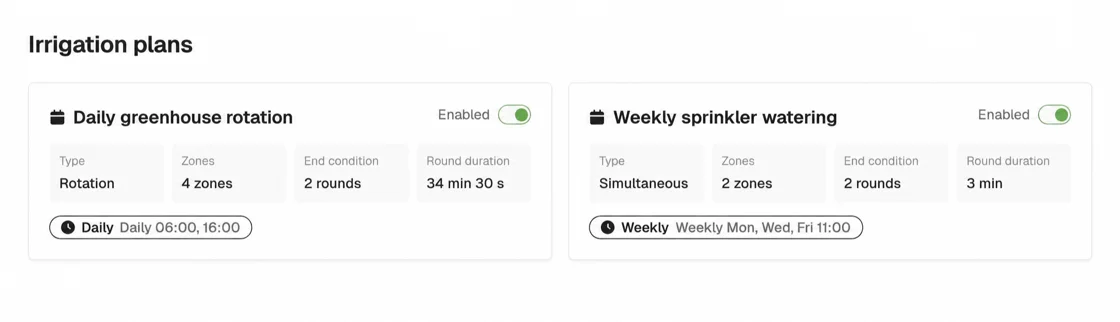
Create an irrigation plan
Set irrigation zones, run times, rounds and schedule times in the system.
Publish the irrigation plan
Publish the confirmed plan so the system sends the active irrigation schedule to the device.
The device receives the plan and starts irrigation
After receiving the plan, the controller switches outputs and starts irrigation as scheduled.
04 / CHECK BEFORE SELECTION
Check power, load, network and feedback before installation
The Y961 series is intended for greenhouses, nurseries or small plots with 2.4 GHz Wi-Fi and a need for scheduled zone control. These four checks determine the power configuration, load safety and site fit.
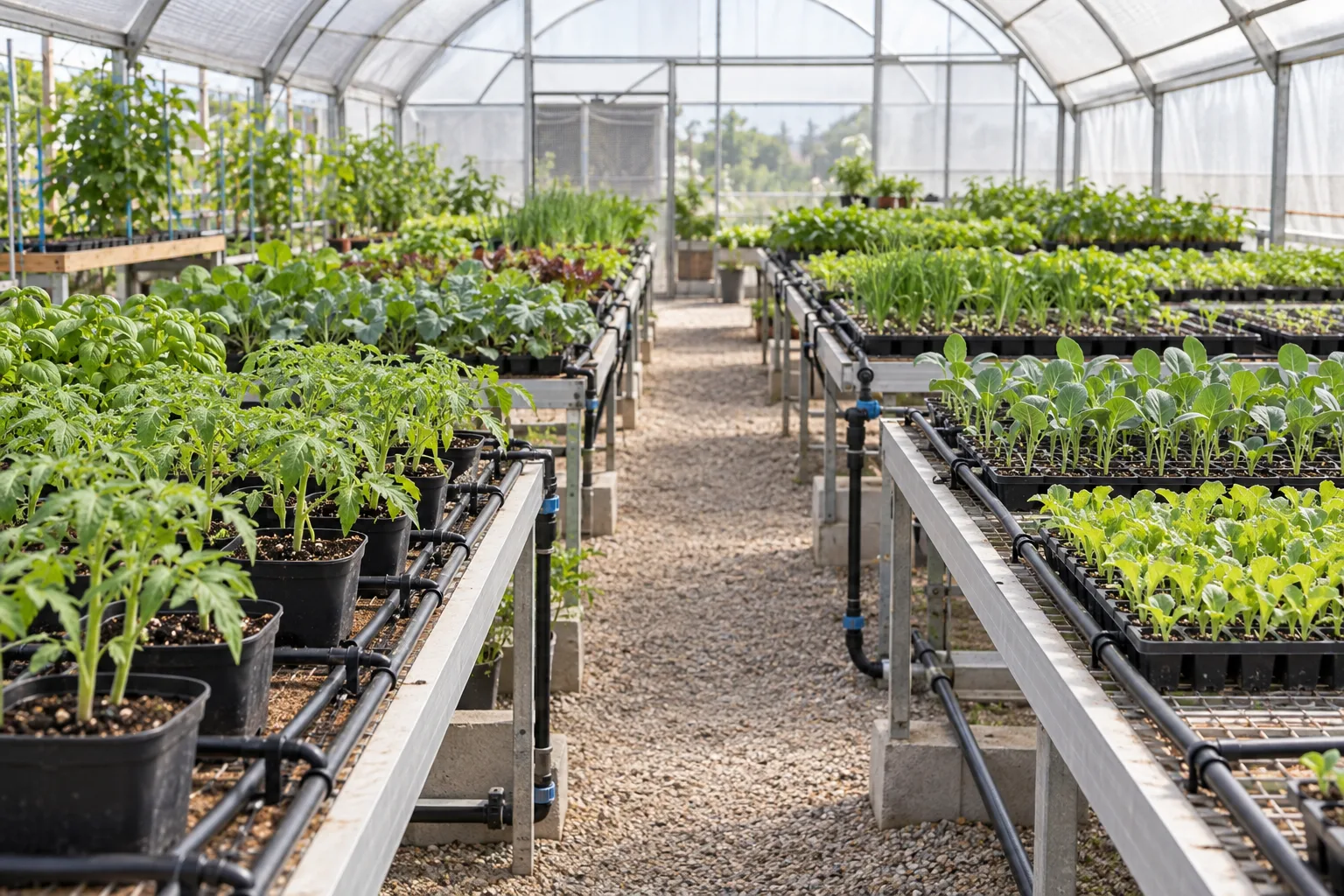
APPLICATION / NURSERY
Group growing benches into identifiable circuits
Group zones by bench location or valve group, and match field labels to output circuits and system names. Run groups sequentially to stagger demand; check supply and total load before running them together.
Discuss my site configuration- Power configuration
- Use AC 220 V or DC 7–30 V according to the supplied configuration, never both. Outputs switch the input power; they are neither dry contacts nor voltage converters. Match the valve voltage.
- Load limits
- The four-output Y961 version shown here allows up to 5 A per output and 20 A in total, within relay limits of 250 VAC / 30 VDC. Check inductive loads, starting current and protection separately. Do not assume a pump can be driven directly.
- Network and installation
- The controller uses 2.4 GHz Wi-Fi and has no native 4G or LoRa. IP66 requires correct sealing and does not permit immersion; installation, wiring and commissioning should be handled by a suitably qualified person.
- Feedback and stopping
- System records describe software output and execution, not measured water volume, flow or valve movement. The standard version does not provide immediate manual switching or emergency stop through the web app; retain independent on-site stop and protection measures.
FAQ
Which system does Y961 connect to?
Y961 connects over Wi-Fi to the YenGear Smart Irrigation Control System, not a generic IoT cloud platform. The system manages devices, zones and schedules; the controller executes the activated schedule.
Will a saved irrigation schedule run immediately?
No. Saving creates a draft. Publish the irrigation plan first; the controller starts irrigation after the device receives the plan.
Can Y961 keep irrigating while the network is offline?
Existing schedules run only while the device clock remains valid. Irrigation stops more than 24 hours after the last successful time sync. A restart requires online time sync, and new schedules cannot arrive while offline.
Can Y961 drive a pump directly?
Not without a load review. Y961 outputs switch the input power; they are neither dry contacts nor voltage converters. Pumps and other inductive loads require separate checks for starting current, protection and the site design.
Do system logs confirm water volume or valve movement?
No. The system records configuration, output and execution status, not measured water volume, flow or valve movement. Add suitable field sensing if those measurements are required.
NEXT STEPS
Specifications for selection. A manual for setup.
Judge site fit first. The specification covers full parameters. The manual covers installation, setup and post-publish checks.
Get selection advice
Review your irrigation zones and site conditions
Share valve voltage, current per circuit, output count, Wi-Fi coverage and the intended watering sequence so we can confirm the controller count, deployment and power configuration.