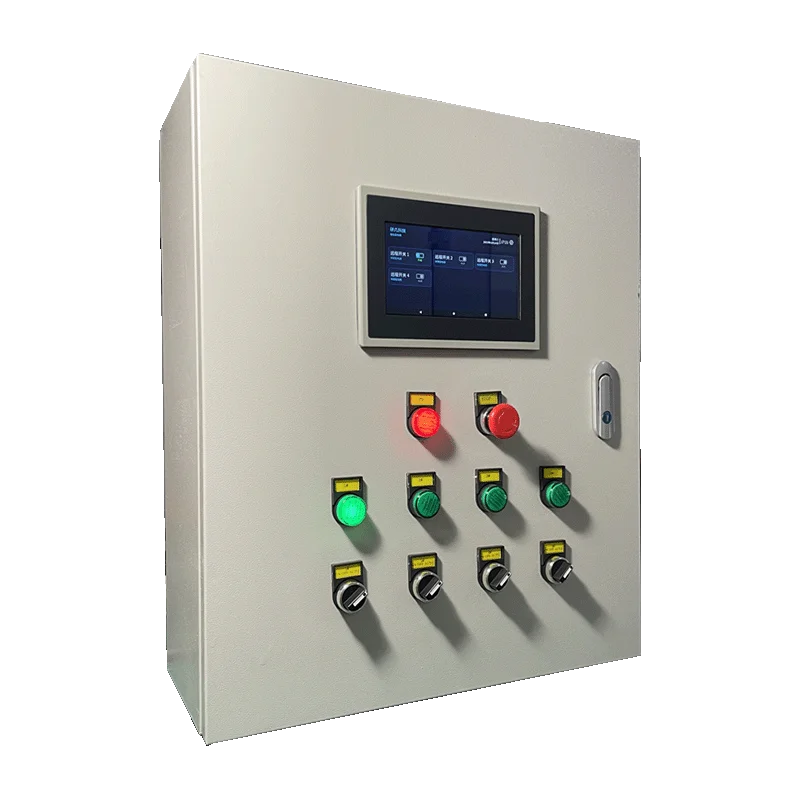
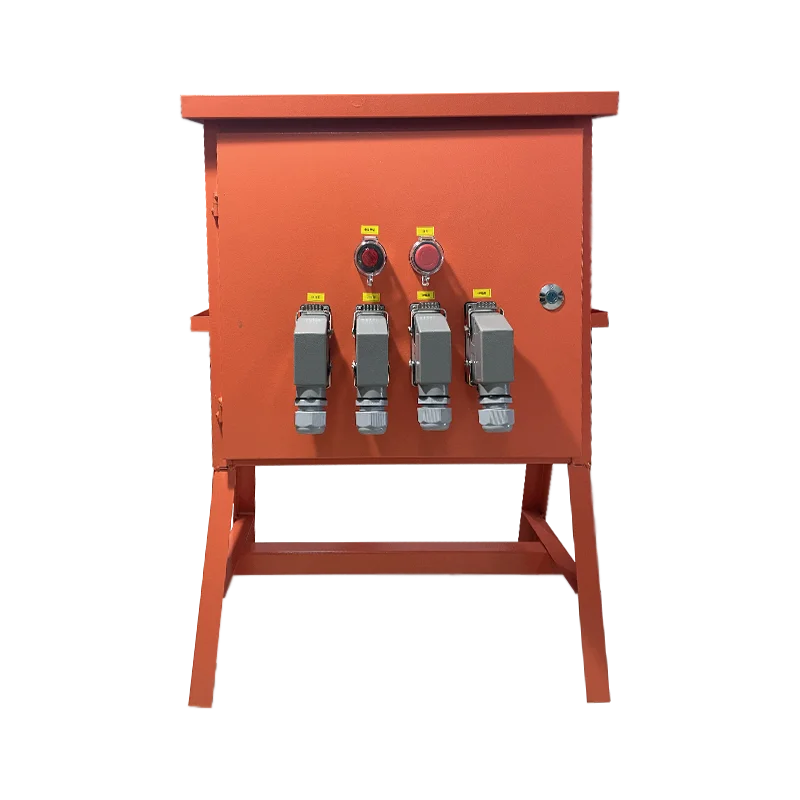
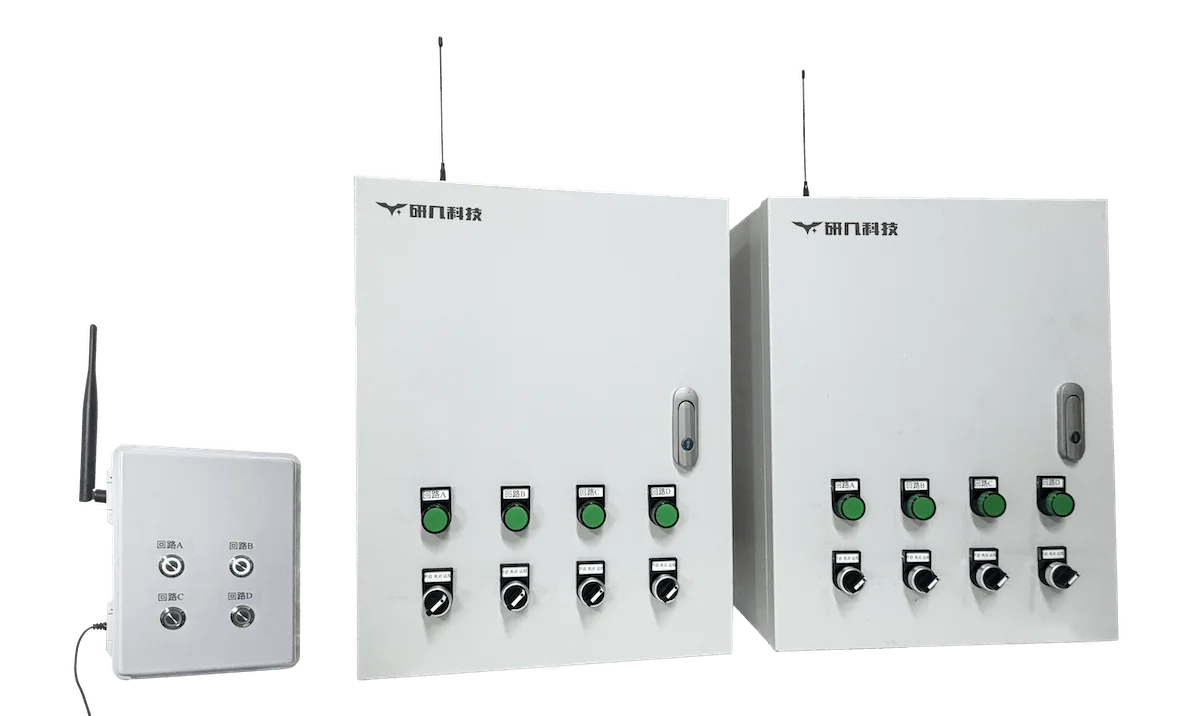
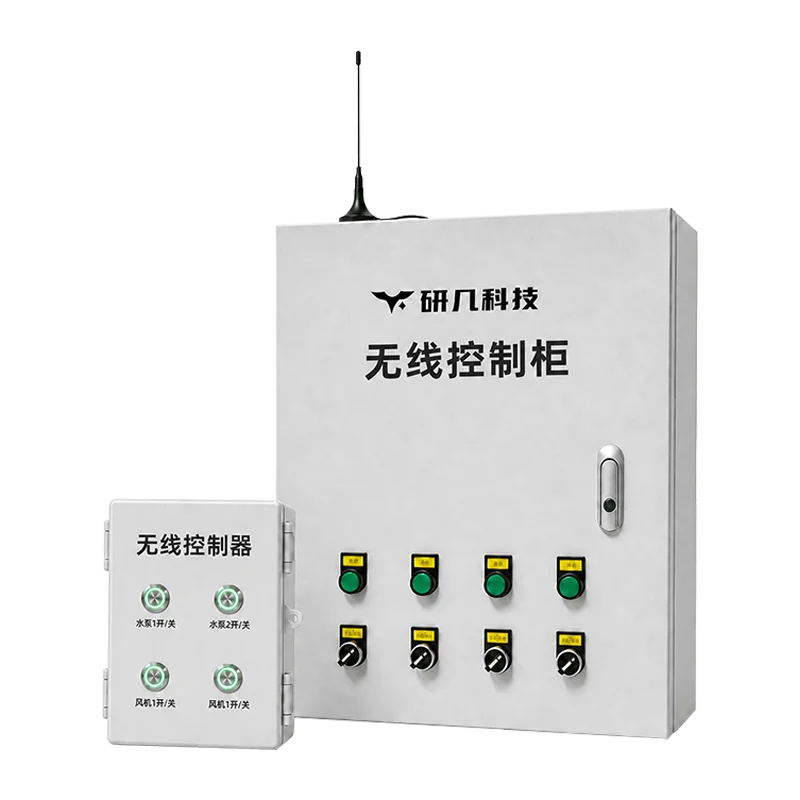
Y951 connects equipment to the cloud for remote control. Y952 combines temporary power distribution, protection and monitoring. Y953 controls multiple cabinets locally over LoRa.
Y951 and Y953 control equipment in greenhouses, farms and pump stations. Y952 supplies and monitors temporary power at construction sites and events. Each has different electrical and control configurations.
Y951
Control several circuits from a phone or computer?
Y951 Smart Remote Control Cabinet
While online over 4G, Wi-Fi or Ethernet, Y951 supports remote switching, cloud schedules, circuit status and operation records. Local manual control remains available while the cabinet is powered.
2–16 circuits
4G / Wi-Fi / RJ45
Greenhouses · farms · pump stations
ConfigurationStandard models offer 2–16 circuits. Circuit count, load, motor starting method and the available network determine the configuration.
Need temporary power distribution with protection and monitoring?
Y952 Smart Temporary Power Distribution Box
Y952 provides temporary secondary power distribution for construction sites, exhibitions and outdoor events. It combines local electrical protection with online status monitoring and alerts.
Mobile secondary distribution
Local protection
Sites · exhibitions · events
ConfigurationSupply, grounding, loads and connectors determine the electrical configuration. Smart locks, GPS, meters, audible-visual alarms and power-loss monitoring are optional.
Need local wireless control without internet access?
Y953 Wireless Control Cabinet
One Y953 controller operates one or more wireless cabinets over a private LoRa link. Local control works without 4G, Wi-Fi or wired internet.
Independent LoRa link
Up to 10 km unobstructed
One-to-many control
ConfigurationDirect links reach up to 10 km in unobstructed conditions. Terrain and installation affect coverage; repeaters and solar power can be added to suit the site.
CircuitsSplit circuits by equipment count, position and control action. Describe start/stop, reversing and other special circuits separately.
LoadsVoltage, rated power, inrush current and starting method determine the contactors, breakers and cables.
Control methodSpecify manual switching, remote control, schedules, sensor-triggered rules or offline operation. Control logic is designed for the equipment.
Power monitoringCollect voltage, current, power or energy as needed. Fields and alarms depend on the selected components and wiring.
Selection details
What we need to recommend a cabinet
Send the details you have. Equipment nameplates, a site plan and network information help us choose the configuration.
01Equipment and starting methodList pumps, fans, lighting, aerators, valves and other loads. Note start/stop, reversing or sensor-triggered control.
02Circuits and loadCircuit count, voltage, rated power, inrush current, starting method and operating frequency. One device may need more than one circuit.
03Network and distanceAvailable 4G, Wi-Fi or Ethernet access. For Y953, include distances, obstructions and possible repeater positions.
04Temporary-power conditionsFor temporary power, include supply, grounding, connectors, protection and alarm requirements, and how often the box will be moved.
05Power and installationNote controller, cabinet and repeater positions, mounting height, power access, antenna conditions and enclosure protection.
06Feedback and platformAny need for equipment run feedback, historical data, management across sites or automatic control during network outages.
FAQ
Compare Y951, Y952 and Y953 by site, network and control requirements.
Are Y951, Y952 and Y953 three communication versions of one cabinet?
No. Y951 is for connected multi-circuit remote management; Y952 is a temporary-power distribution box with local protection and monitoring; Y953 uses an independent LoRa link for local one-to-many control where external networks or long control cables are impractical.
Should I choose Y951 or Y953 for a remote control cabinet?
Choose Y951 for cloud management from a phone or computer where 4G, Wi-Fi or Ethernet is available. Choose Y953 for local control of multiple cabinets over a private LoRa link. Match circuit count and load ratings to the equipment in either case.
What information should I prepare before selecting a smart distribution box?
Send the equipment list, circuit count, voltage and power ratings, motor starting methods and switching frequency. Include available networks, distances, obstructions, power and installation locations, plus any alarm, feedback, cloud or offline-control requirements. Share the details you have; missing information can be added later.
The standard Y951 cannot receive remote commands, cloud schedules or cloud-rule commands while offline. Local manual control remains available while the cabinet is powered. Offline schedules or sensor logic need a separate local-control design.
Can Y953 work without 4G, Wi-Fi or wired Internet?
Yes. The controller communicates with wireless cabinets over a private LoRa link. Direct links reach up to 10 km in unobstructed conditions; terrain and obstructions can reduce coverage or require repeaters.
What if I need more circuits, higher loads or custom control logic?
YenGear can assess multiple standard units or design a custom cabinet. Send the equipment ratings, protection and starting requirements, reversing or sensor-control logic, offline requirements and installation conditions.