
Measurements are periodic
Temperature, humidity, CO2 and soil moisture may only be checked a few times each day.
SMART GREENHOUSE · GROWTH ENVIRONMENT CONTROL
Environmental monitoring and equipment automation by zone
Connect temperature, humidity, light, CO₂ and soil-moisture sensors to YenGear IoT Cloud, then connect fans, cooling pads, pumps, curtains and grow lights by project. View each zone and configure control rules from one system.
On site
Manual rounds and distributed equipment make it difficult to respond at the right time.
Temperature, humidity, CO2 and soil moisture may only be checked a few times each day.
Fans, irrigation, curtains, pumps and lights across several zones make local control time-consuming.
Cold fronts, storms and humidity changes can occur between manual inspections.
Without consistent history, teams must rely on memory when comparing growing cycles.
System workflow
Keep sensor interfaces, communications and equipment control clear for each zone.
Select temperature, humidity, light, CO₂ and soil-moisture sensors for the crop and installation.
Serial sensors and model-specific I/O connect the measurements and equipment signals. Y301-880 provides digital I/O, not analog sensor inputs.
Choose the serial gateway and site uplink for wired Ethernet, Wi-Fi or cellular access.
The selected controller and application operate compatible fans, pumps, curtains and lights according to approved zone rules.
Local automation and offline operation depend on the controller and configuration. Cloud commands require a working uplink.
Monitoring and control
Monitor conditions, control equipment, notify staff and review records in one operating view.
Track temperature, humidity, light, CO2 and soil moisture on the dashboard.
Run rules such as temperature-triggered fans, dry-soil irrigation, shade curtains, or grow lights.
Open vents, start irrigation or switch grouped equipment from one phone screen.
Send app, SMS, or email notifications with the greenhouse, zone, reading, and alert level.
Store readings, equipment actions, and alerts for reports by day, week, month, or growing cycle.
Use WiFi, wired Ethernet or optional 4G backhaul according to the site.
Application examples
Rules and equipment vary by crop, site and growth stage.
Ventilation, fan, drip irrigation, and CO2 rules for tomatoes, cucumbers, and peppers.
Light, shade, supplemental lighting, temperature, and humidity control for roses and lilies.
Tighter temperature, misting, humidity, and gradual light ramping for nursery work.
CO2, humidity, fresh-air intake, fogging, and strict temperature-band alerting.
Deployment planning
Connect greenhouse zones, sensors and equipment around the crop and site layout.
Map greenhouse count, zones, crops and control points before selecting sensors and network paths.
Connect temperature, humidity, light and soil-moisture points to the selected I/O and network equipment.
Configure zone rules, alerts and group controls for the operating schedule.
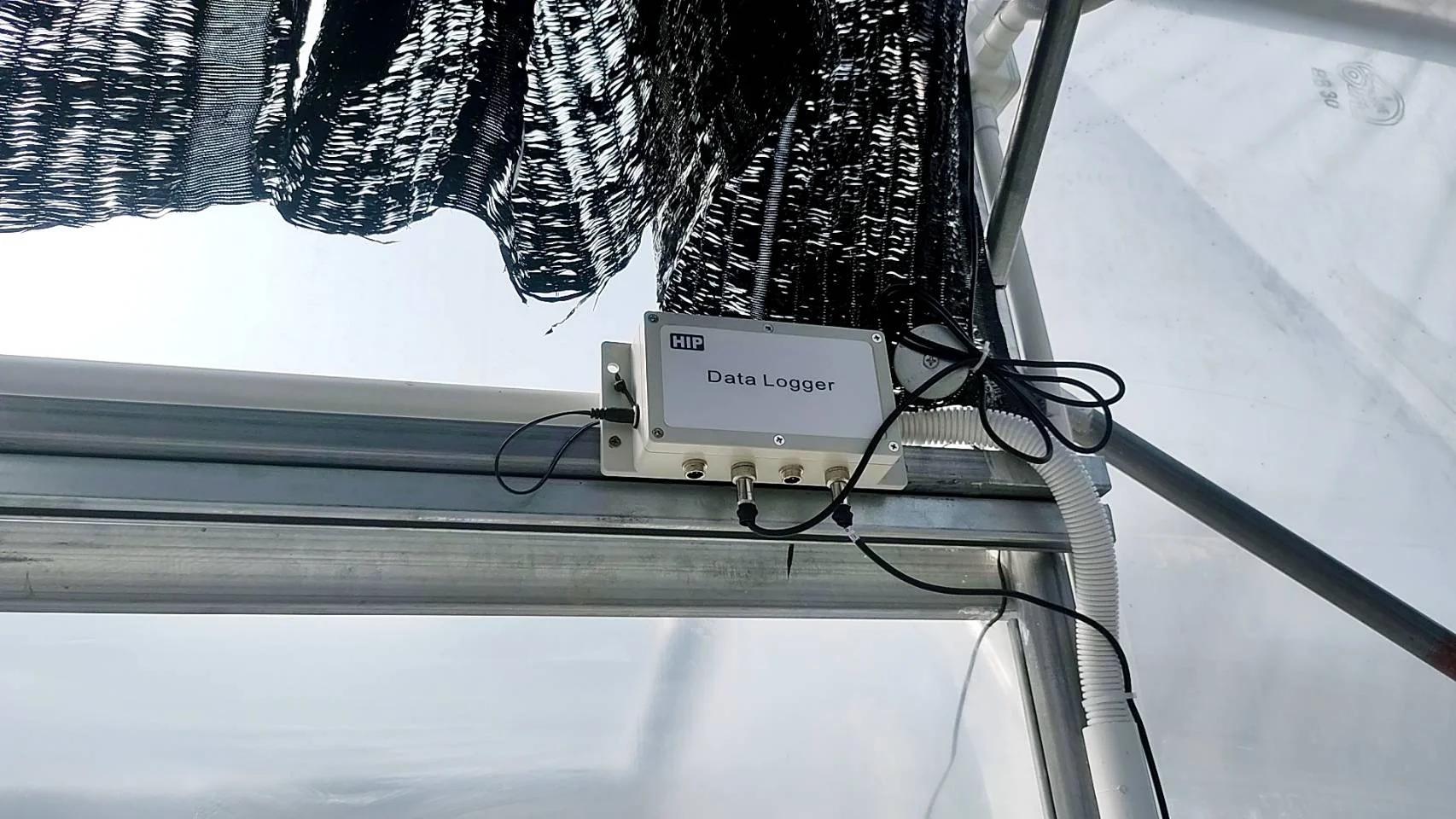
Deployment planning
The system combines zone data, equipment control and records for day-to-day greenhouse work.
| Generic IoT platform | YenGear smart greenhouse solution |
|---|---|
| Sensors, protocols, dashboards, and logic often require IT configuration. | Mount modules, connect zones, name equipment, and use growing rules your team understands. |
| Automation builders are written for industrial engineers. | Rules read like greenhouse practice: if temperature is high, open vents and start fans. |
| Multi-greenhouse management may require separate dashboards or enterprise tiers. | Greenhouses, crop groups, zones, alerts, and group control share one operating view. |
| Reports often start as raw data exports. | Environmental records are organized for growing-cycle review and audit preparation. |
System components
Key parameters for a greenhouse control deployment.
| Parameter | Specification |
|---|---|
| Connectivity | Ethernet, Wi-Fi or cellular backhaul through the selected gateway model and ordered configuration. |
| Sensor types | Temperature, humidity, light, CO2, and soil moisture selected for the crop and site requirements. |
| Y301-880 I/O module | 8 digital inputs and 8 relay outputs; 5–36V DC supply and IP20 protection. Use a suitable site enclosure. |
| Control outputs | Relay outputs for fans, vents, pumps, curtains, lights, and heaters, up to 8 channels per module. |
| Alert channels | App push, SMS, email, and optional on-site audible alarm. |
| Cloud platform | YenGear IoT Cloud, SaaS or on-premise private deployment. |
| Data exports | CSV, Excel, and PDF reports by day, week, month, or growing cycle. |
System components
Y201 and Y301 modules connect sensor inputs and relay-controlled equipment to the greenhouse control system.
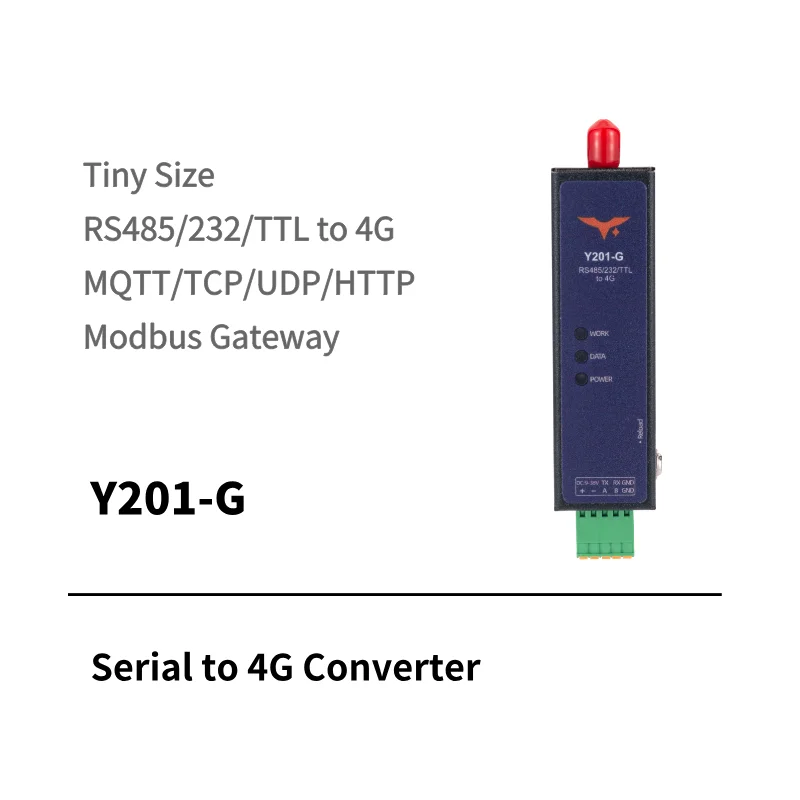
Cellular uplink
Bridges serial devices to cellular networks and supports nationwide 4G connectivity, wide-range power input, and four transparent Socket channels.
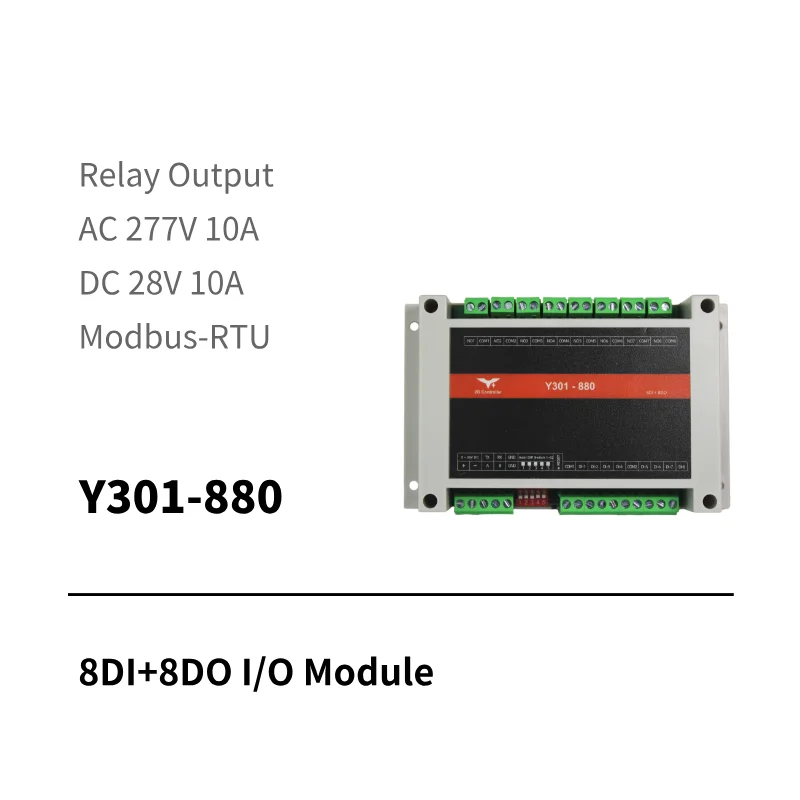
Digital I/O
8DI + 8DO for zones with more switch inputs and relay-controlled loads such as pumps, fans, curtains, or lights.
Answers about installation, networks, rules, outages, records, scale and project scope.
Installation depends on greenhouse count, zones, sensors, existing networks and access conditions. We confirm the schedule after a site review.
The site can be assessed for wired Ethernet, industrial WiFi access points or cellular backhaul. The choice depends on zone distance, power, network coverage and installation conditions.
Users can change the rules permitted by their role. The available conditions, actions, approvals and pre-configured templates depend on the deployment and should be confirmed during setup.
Local measurement, buffering and pre-configured automation can continue when the selected controller and project configuration support them. Cloud commands and records synchronize only after the connection returns.
Environmental history can be exported for a selected date range and used as input to audit preparation. Whether the data and format satisfy a particular scheme or buyer requirement must be confirmed with the responsible auditor or customer.
The platform can organize greenhouses, zones, crop groups, rules, team access and group controls. Confirm the supported scale and deployment model for your project.
Pricing depends on greenhouse count, zones, sensors, control points, network and integration requirements. Scope, options, lead time and quotation terms are confirmed after the project information is reviewed.
Greenhouse control assessment
Tell us your greenhouse count, crops, zones and equipment.