
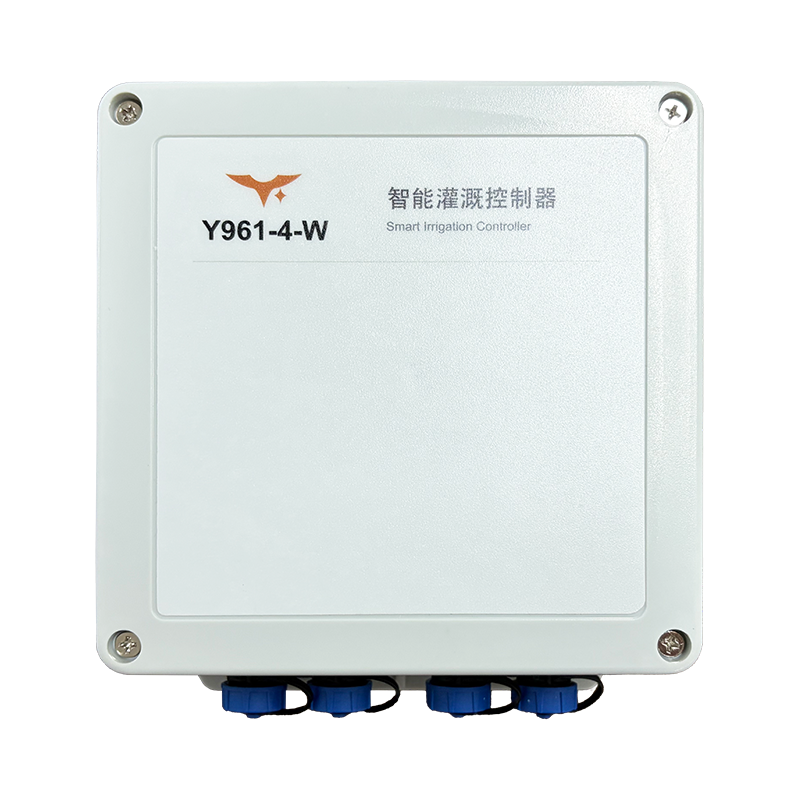
Meet Y961, a Wi-Fi irrigation controller for time-based watering in greenhouses, nurseries and small zoned-irrigation projects. The four-output version shown here connects to the YenGear Smart Irrigation Control System: name the growing areas, set their watering schedules and publish the configuration for local execution.
The useful shift is from managing unnamed electrical circuits to managing a repeatable irrigation routine. The controller handles switched power; the system gives those outputs a place in a zone-based plan.
From circuits to growing areas
A greenhouse may use separate valves for tomatoes, cucumbers, leafy greens and seedlings. With Y961, each of the four outputs can be assigned to a named zone. Operators then select those zones when building a schedule, while the wiring-to-zone mapping remains available for maintenance.
Sequential irrigation runs the selected zones in order. Simultaneous irrigation runs them together when the water supply and combined electrical load allow it. These are scheduling choices, not automatic measurements of crop demand.
One greenhouse, two kinds of routine
Consider a demonstration project with a daily sequential plan at 06:00 and 16:00. Four zones run for 10, 10, 8 and 5 minutes, with 30-second gaps between zones. The plan repeats for two rounds with a five-minute gap between rounds. A separate weekly plan runs two selected zones together at 11:00 on Monday, Wednesday and Friday.
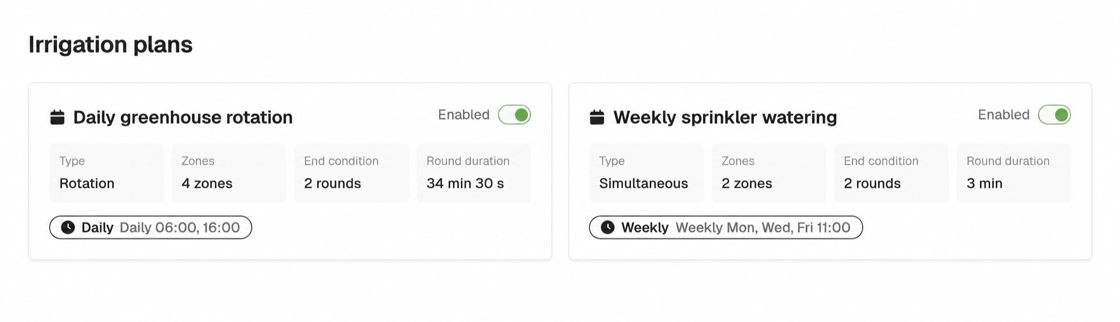
The example illustrates how one controller can serve different routines without treating every zone identically. Actual durations depend on the site’s irrigation design. If schedules overlap on the same output, it stays on while any active plan still requires it; ending one plan does not necessarily turn that output off.
A saved plan is not yet an active plan
Changes are saved as a draft first. Publishing sends the project configuration to its devices; operators should then confirm that each device’s active version matches the target version. That distinction matters when a device is offline or still waiting to apply a change.
Once a plan is activated, Y961 executes it locally while its clock remains valid. In the current version, irrigation stops more than 24 hours after the last successful time synchronization—not 24 hours after every disconnection. After a restart, outputs begin off and the controller must synchronize time online before schedule execution can resume.
Execution records help review what the device reported. They do not prove water delivery or physical valve movement. The standard system also has no immediate web-based manual switch or emergency-stop command; independent on-site stop and protection measures remain necessary.
Where Y961 makes sense
Start with Y961 when you have compatible valve loads, reliable 2.4 GHz Wi-Fi and a need for scheduled zone irrigation. Before selecting it, check three things:
- Valve power: AC 220 V or DC 7–30 V, according to the supplied configuration. Outputs switch that supply; they are not dry contacts and do not convert voltage.
- Electrical capacity: up to 5 A per output and 20 A in total for the four-output Y961 version, within relay voltage limits of 250 VAC / 30 VDC. Starting current and inductive-load protection need separate assessment.
- Site conditions: the controller has no native cellular or LoRa connection. Its IP66 enclosure requires correct installation and sealing; it is not submersible.
If the project needs measured flow feedback, immediate remote manual control or connectivity beyond local Wi-Fi, discuss those requirements before assuming the standard controller covers them.
Take the next step
See the Y961 product page for selection details. Installation, Wi-Fi setup and the publish-and-confirm workflow are covered in the Chinese user manual.